


 Home
Home


HP Power Lab 3.0
Table of content:
- What Are Sessions And Cookies?
- Core Differences Between Sessions and Cookies
- What is a Cookie?
- Why and When to Use Cookies?
- Advantages & Disadvantages of Cookies
- What Is a Session?
- Why and When Should I Use a Session?
- Common PHP Session Management
- Advantages and Disadvantages of Sessions
- Key Difference Between Cookies and Sessions Explained
- Similarities Between Sessions and Cookies in PHP
- Conclusion
- Frequently Asked Questions (FAQs)

Sessions Vs Cookies: Key Differences & Use Cases in Web Development
Understand the core differences between sessions (server-side) and cookies (client-side) in web development. Learn their uses, storage, security, and when to use each for optimal user experience and data handling.
 0 min read
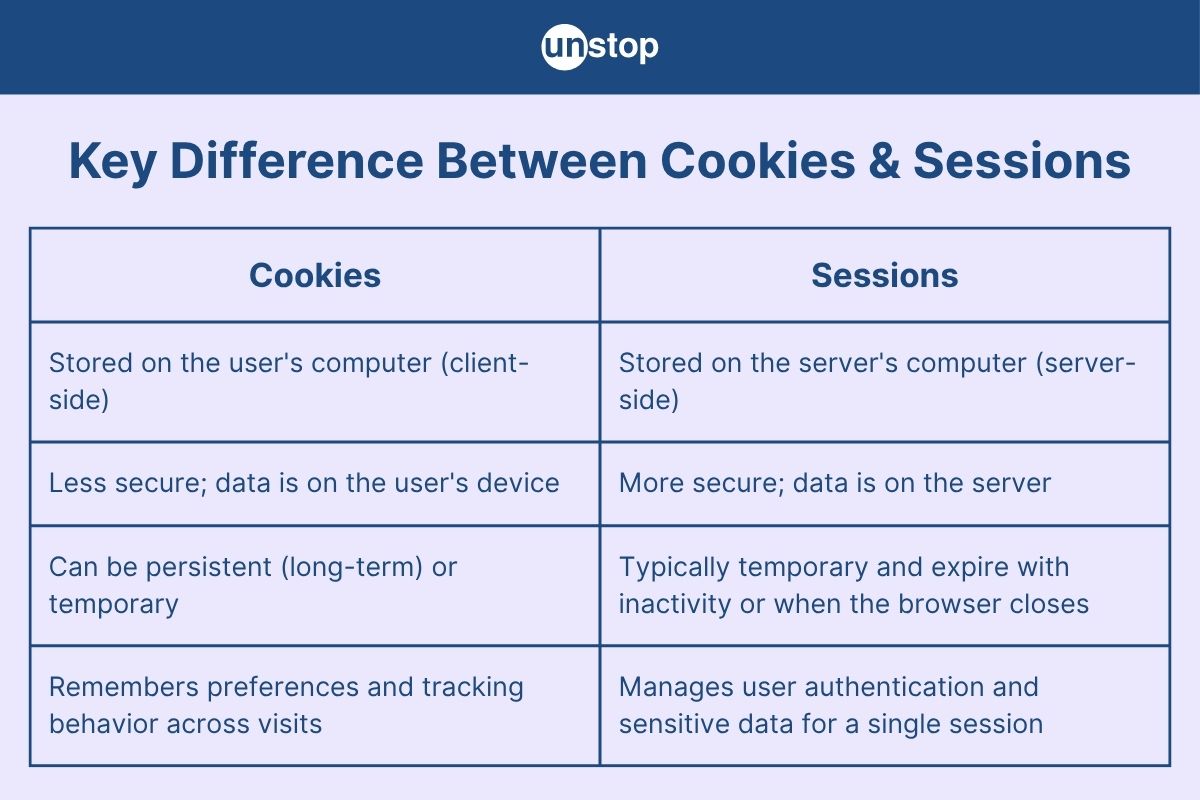
While browsing, you often encounter terms like “sessions” and “cookies”. These enable different websites to store a user's data depending on the kind of experience they contribute to that user. The main difference is that sessions are kept on the server-side, while cookies are kept on the client-side. The article aims to delve into the differences between sessions and cookies, exploring their definitions, uses, storage mechanisms, and more.
What Are Sessions And Cookies?
Sessions: A session is a server-side mechanism used to store user-specific information across multiple requests in a web application. The moment a user accesses the website, a unique session ID is generated and subsequently stored on the server for maintaining the state and tracking user activity until it expires or is terminated.
Cookies: Cookies are small text files stored on the client side (i.e., the user's browser) that hold data related to a user's interaction with a website. They can be used to store a user's preferences and information about their login status or sometimes other identifiers over multiple sessions, depending on when they expire.
Core Differences Between Sessions and Cookies
|
Feature |
Session |
Cookie |
|
Storage Location |
Stored on the web server, where session-related data is maintained securely. |
Stored on the user's browser as a text file, typically under local storage. |
|
Size Limit |
Has no strict size limitation; large amounts of data can be stored on the server. |
Limited in size (~4KB per cookie), making it suitable for small pieces of data. |
|
Lifespan |
Lasts until the user closes the browser or the session times out on the server. |
Can persist based on expiry settings – session-based or permanent (custom expiry date). |
|
Security |
More secure, as data is never exposed to the client; only a session ID is shared. |
Less secure because data is stored on the client and may be accessed or tampered with. |
|
Data Transmission |
Only the session ID is transmitted between the client and server during each request. |
The entire cookie data is sent with every HTTP request, increasing the request size. |
|
Accessibility |
Not directly accessible via client-side scripts like JavaScript. |
Fully accessible and editable via JavaScript unless marked `HttpOnly`. |
|
Creation & Maintenance |
Created and managed by the server at login or during an interaction that needs tracking. |
Created by either the server via HTTP headers or by client-side scripts. |
|
Use Cases |
Best for temporary and sensitive data like user sessions, login status, and shopping carts. |
Ideal for storing less sensitive data such as user preferences, themes, or tracking info. |
|
Visibility |
Hidden from browser tools, ensuring server-side confidentiality. |
Visible in browser DevTools under Application/Storage tab. |
|
Browser Dependency |
Generally not affected by user-side browser settings. |
Depending on browser configurations, cookies can be disabled or automatically deleted. |
|
Data Format |
Can store complex data structures like objects (server-side logic handles serialization). |
Stores simple key-value pairs in plain text format. |
|
Persistence Between Sessions |
Data is lost once the session ends unless explicitly saved to the database or a cookie. |
Can persist across multiple sessions if expiry time is set, enabling 'Remember Me' features. |
|
Performance Impact |
Higher server memory usage as session data is stored server-side. |
Minimal server usage, but may affect network speed due to repeated cookie transfers. |
|
Cross-Site Vulnerability |
More secure against Cross-Site Scripting (XSS) and CSRF if properly implemented. |
Prone to attacks if not encrypted or flagged securely (`Secure`, `HttpOnly`, `SameSite`). |
|
Tracking Capability |
Not designed for user tracking across pages or websites. |
Commonly used for user tracking, analytics, ad retargeting, and personalization. |
What is a Cookie?
A cookie is a small piece of data stored on the user's device by a web browser while browsing a website. Cookies are used to remember information about the user, such as login credentials, site preferences, session identifiers, and more. This data is then seen by either the server or the client to personalize the user's experience by maintaining the continuity of the visiting pages or multiple visits over time.
Cookies have changed modern web development by enabling tracking, personalization, and all session management activities conducted within a website.
How Does a Cookie Work?
The server sends a cookie: When a user visits a website, the server sends a cookie along with the HTTP response header.
Example: Set-Cookie: user_id=1234; expires=Wed, 01 May 2026 12:00:00 UTC; path=/
The browser stores the cookie: The browser saves the cookie in local storage based on the specified attributes (like expiry and path).
Cookie sent with each request: On subsequent requests to the same domain, the browser sends the stored cookies back to the server in the HTTP request header.
Example: Cookie: user_id=1234
Used for decision-making: The server uses cookie data to identify the user, retrieve session data, or serve personalized content.
Why and When to Use Cookies?
Cookies are small data files that websites store on your computer. They're essential for a smooth and personalized online experience. Here's a quick look at their key uses:
|
Scenario |
What Cookies Do Here |
|
User Login |
Keep you signed in as you move between pages, so you don't have to log in repeatedly. |
|
Personalization |
Remember your preferences, like language, layout, or theme, to customize your Browse. |
|
Shopping Carts |
Track items you've added to your cart, even if you leave the site and come back later. |
|
Website Analytics |
Help website owners understand how people use their site (e.g., which pages are popular) to improve it. |
|
Session Continuity |
Maintain your information and activity across different visits or browser sessions for a consistent experience. |
Understanding Cookie Attributes
Cookies are small data files, and their behavior and security are controlled by various attributes. These attributes are set when a cookie is created and dictate how the browser handles it.
|
Attribute |
Description |
Example |
|
name |
The unique identifier for the cookie. |
"user_id" |
|
value |
The data string is stored within the cookie. |
"1234" |
|
expires or max-age |
Defines the specific date/time (for expires) or duration in seconds (for max-age) when the cookie should be deleted by the browser. |
time() + 86400 (for 1 day) |
|
path |
Specifies the URL path within the domain for which the cookie is valid. If not set, it defaults to the current document location. |
"/" (accessible to the entire domain) |
|
domain |
Specifies the domain for which the cookie is valid. It allows the cookie to be sent to subdomains. |
"example.com" |
|
secure |
A flag that indicates the cookie should only be sent over encrypted HTTPS connections, never over unencrypted HTTP. |
true/false |
|
HttpOnly |
A flag that prevents client-side scripts (like JavaScript) from accessing the cookie, thereby mitigating certain cross-site scripting (XSS) attacks. |
(No direct value; presence implies security) |
|
SameSite |
Controls how cookies are sent with cross-site requests, providing a defense against cross-site request forgery (CSRF) attacks. |
Lax, Strict, None |
Advantages & Disadvantages of Cookies
|
Advantages |
Disadvantages |
|
Personalization: Cookies help store user preferences, allowing websites to deliver a more personalized and consistent user experience. |
Security Risks: Cookies can be exploited by malicious users for session hijacking or tracking if not properly secured using flags like HttpOnly and Secure. |
|
Session Persistence: They enable websites to remember user activities, such as items in a shopping cart, even after navigating away or closing the tab. |
Limited Storage: Cookies have a size limit (typically 4KB), which restricts the amount of data that can be stored on the client-side. |
|
Reduced Server Load: By storing certain data on the client-side, cookies can help reduce the need for repeated server-side data processing. |
Privacy Concerns: Cookies can track user behavior across websites (especially third-party cookies), raising privacy and data protection issues. |
|
Ease of Implementation: Cookies are easy to implement in most web development environments and are supported by all major browsers. |
Client Dependency: Since cookies are stored in the browser, users can delete or block them, which may disrupt the website’s functionality. |
|
Support for Offline Use: Cookies can retain information when a user is offline and sync data when the connection is reestablished. |
Data Integrity: Storing sensitive data in cookies is risky, as users can tamper with it if not encrypted or validated properly by the server. |
What Is a Session?
A session in web development is a server-side storage mechanism used to persist user data across multiple requests in a stateless protocol like HTTP. Unlike cookies that store data on the client-side, sessions save data on the server, on which just a unique session ID is shared with the client via cookies or URL parameters. This enhances security and centralized control over user data.
Sessions are especially useful for tracking user activity — such as login state, shopping cart contents, or preferences — throughout their interaction with a web application.
How Does a Session Work?
Here’s a step-by-step explanation of how sessions work:
User Visits Website: The user sends a request to the server by visiting a page.
Session Initialization: The server starts a session using a unique session ID and stores it.
Session ID Transmission: The session ID is sent to the client, usually stored in a cookie (e.g., PHPSESSID in PHP).
Data Persistence: On subsequent requests, the session ID is sent back to the server, which retrieves the stored session data associated with that ID.
Session End: The session ends when the user logs out, the session is destroyed, or it expires after a set period.
Why and When Should I Use a Session?
Storing Sensitive Data: Login credentials, tokens, and personal information should be stored on the server for security.
User Authentication: Maintain login status across multiple pages without exposing credentials.
Shopping Carts: Keep track of products added by a user without requiring a database entry for each visitor.
Form Data Persistence: Store form input across multiple steps/pages without saving to a database.
Minimizing Client-Side Storage: Reduces reliance on cookies and prevents users from tampering with stored data.
Common PHP Session Management
PHP sessions provide a way to store information about the user across multiple page requests. Here's a breakdown of the essential functions and the superglobal array used for session management:
|
Attribute/Function |
Description |
|
session_start() |
Initializes a new session or resumes an existing one. This function must be called before any output is sent to the browser. |
|
$_SESSION[] |
The superglobal array is used to store, access, and manipulate session variables. Data placed here persists across requests for the same session. |
|
session_id() |
Returns the unique identifier for the current session. |
|
session_destroy() |
Destroys all data associated with the current session on the server. The session cookie on the client side typically remains until it expires or is manually deleted. |
|
session_unset() |
Frees all session variables registered to the current session, but does not destroy the session itself. The session is still active, just empty. |
|
session_name() |
Gets or sets the name of the session cookie. By default, PHP sessions are named PHPSESSID. |
|
session_regenerate_id() |
Generates a new session ID for the current session. This is a crucial security measure to help prevent session fixation attacks. |
Advantages and Disadvantages of Sessions
|
Advantages |
Disadvantages |
|
Secure Data Handling: Since session data is stored on the server, sensitive information like user IDs or roles is better protected from tampering. |
Server-Side Storage Load: Sessions consume server memory, especially for large user bases, potentially affecting performance and scalability. |
|
User State Persistence: Sessions allow websites to remember users across multiple pages and actions, enabling features like login state and shopping carts. |
Session Timeout: Sessions usually expire after a set duration of inactivity, which may disrupt the user experience if they take too long between actions. |
|
Reduced Client-Side Load: Minimal data is stored on the client (only the session ID), making it more lightweight than storing everything in cookies. |
Not Ideal for Stateless APIs: Sessions are not suited for RESTful APIs, which rely on stateless communication and often use tokens instead. |
|
Automatic Handling in Frameworks: Most web frameworks provide built-in session management, simplifying development and reducing boilerplate code. |
Dependency on Cookies (by default): If the user disables cookies in their browser, session tracking via cookies will fail unless alternatives are used. |
|
Less Risk of Data Exposure: Unlike cookies, session data isn’t exposed to the client, reducing risks of user-side modification or data leakage. |
Not Persistent Across Devices: Sessions are tied to a single browser/device session, meaning switching devices or browsers will start a new session. |
Key Difference Between Cookies and Sessions Explained
In this section, we will elaborate on a few key differences between cookies and sessions, focusing on how each handles data storage, security, and behavior in web applications.
Security Considerations
Cookies
Cookies are stored on the client side, which means that users can visit and even modify cookies. Being client-side makes them vulnerable to tampering or data theft if sensitive information is stored improperly. Cookies can also be intercepted in XSS and MITM attacks unless otherwise encrypted or protected with certain flags like HttpOnly and Secure.
Sessions
Sessions are more secure than cookies since they are stored on the server, out of reach of the client, thereby exposing only a session ID (generally random and meaningless by itself) to the browser. This minimizes client-side data exposure threats. Besides, the risk of session hijacking can be contained by practices like session ID regeneration and the use of HTTPS.
Server-Side Storage
Cookies
All information is stored in the user's browser and automatically sent to the server with every request to the domain concerned. This imposes a size limit per cookie, usually about 4 KB, and slows down requests if the cookies are large (or many).
Sessions
All session data is stored on the server. Only this session ID is stored in the browser, which acts as a pointer for the server to retrieve relevant data. This boosts performance and allows storage of more data securely without bloating request headers.
Lifespan and Persistence
Cookies
Cookies may remain active for either a period of days or many months, depending on when they expire. They remain present even after the user closes the browser, making them useful for "remember me" features or long-term tracking.
Sessions
Sessions can be said to expire when the browser exits or after a certain period of inactivity (by default, for example, in PHP, their time is set to 20 minutes). While it is possible to configure sessions to last longer than this, generally, they are for tasks requiring short-term interaction,s such as login states or cart data.
Usage Scenarios
Cookies
Used when data needs to persist across browser sessions, such as:
- Remembering login credentials (non-sensitive parts)
- Tracking user preferences
- Analytics and advertising
Sessions
Used for sensitive or temporary data that should not be exposed to the user:
- Login/authentication status
- Temporary form data (multi-page forms)
- Shopping cart items during checkout
Performance Impact
Cookies
Because cookies are attached to every HTTP request to the same domain, large or excessive cookies can slow down request-response cycles. Moreover, large cookies consume unnecessary bandwidth.
Sessions
Sessions do not enlarge the size of HTTP requests since they carry only a small amount of session IDs. But they will contribute to fairly large memory usage on the server, especially when thousands of users are logged in at once.
Ease of Manipulation
Cookies
Easy to view and edit using developer tools in the browser. This makes them accessible for debugging but also open to misuse.
Sessions
Opaque to the client as the user has no way to access or modify any session data, which makes them the most suitable object for the secure handling of sensitive operations.
Similarities Between Sessions and Cookies in PHP
|
Criteria |
Similarities Between Sessions and Cookies in PHP |
|
User Tracking |
Both sessions and cookies are used to store user-specific information and help maintain state across different pages in a web application. |
|
Key-Value Storage |
Both store data in the form of key-value pairs, making them easy to access and manipulate within PHP scripts. |
|
Superglobals Access |
PHP provides predefined superglobal arrays—$_SESSION for sessions and $_COOKIE for cookies—to interact with stored data. |
|
Common Use Cases |
Both are commonly used for user login systems, storing preferences, and tracking user behavior across a site. |
|
Integration with Forms |
Sessions and cookies can both be used to handle form data persistence across multiple steps or pages in a web form process. |
|
Session ID via Cookies |
By default, PHP uses a cookie to store the session ID (PHPSESSID), linking both mechanisms during session management. |
|
Lifespan Control |
Both support custom lifespan—cookies through setcookie() expiration time, and sessions via session.gc_maxlifetime. |
|
Support in All Browsers |
Both are supported by all modern browsers, making them reliable tools for client-server communication. |
|
Security Practices |
Secure handling practices like encryption, HttpOnly, and Secure flags are encouraged for both cookies and sessions. |
|
Configurability |
Both can be configured via php.ini settings (e.g., session.cookie_lifetime, session.use_cookies, etc.). |
Conclusion
Both sessions and cookies are necessary tools in the practice of web development, each playing an important role in ensuring that user state is maintained across HTTP requests that are stateless by nature. Cookies are stored on the client-side, ideal for small quantities of data that need to persist across browser sessions, while sessions provide a more secure mechanism from a server perspective to manage the more sensitive elements of user information, such as authentication credentials and shopping cart data.
Cookies are more effective in handling data that requires persistence and is accessible on the client side, which comes with limitations concerning their size, security, and visibility. Sessions offer better control and security since they operate server-side, but would require more resources on the server and would quickly expire on their own unless actively maintained. Ultimately, the balance between security, data persistence, scalability, and user experience will carry the day when making a choice between using a session or a cookie for a specific application.
Frequently Asked Questions (FAQs)
Q1. What is the main difference between sessions and cookies in PHP?
In PHP, the primary distinction between sessions and cookies lies in their storage locations and security implications. Sessions store user data on the server, ensuring that sensitive information remains inaccessible to the client. When a session is initiated using session_start(), PHP generates a unique session ID, which is typically stored in a cookie on the client's browser. This ID is used to retrieve the corresponding session data on the server for each subsequent request.
Cookies, conversely, store data directly on the client's browser. They are created using the setcookie() function and can persist across multiple sessions, depending on their expiration settings. However, since cookies reside on the client side, they are more susceptible to security risks such as tampering or unauthorized access.
Q2. Which is more secure: sessions or cookies?
Sessions are generally considered more secure than cookies. Since session data is stored on the server, it is protected from direct access or manipulation by the client. Only the session ID, which is typically stored in a cookie, is exposed to the client. This approach minimizes the risk of sensitive data being compromised.
Cookies, on the other hand, store data on the client's browser, making them more vulnerable to security threats like cross-site scripting (XSS) attacks or unauthorized access if the browser is compromised. To enhance cookie security, developers can implement measures such as setting the HttpOnly and Secure flags, which restrict access to cookies via JavaScript and ensure they are transmitted only over secure HTTPS connections.
Q3. When should I use sessions instead of cookies?
Sessions are preferable when handling sensitive or temporary data that should not be exposed to the client. Common use cases include:
- User Authentication: Storing login credentials or user-specific information securely on the server.
- Shopping Carts: Maintaining a user's cart items during an e-commerce session.
- Form Data: Preserving form inputs across multiple pages without exposing them to the client.
By storing such data on the server, sessions reduce the risk of client-side manipulation and enhance overall application security.
Q4. Do sessions rely on cookies to function?
Yes, sessions often rely on cookies to function effectively. When a session is initiated, PHP generates a unique session ID and, by default, stores it in a cookie named PHPSESSID on the client's browser. This cookie is sent with each subsequent request, allowing the server to identify the session and retrieve the associated data.
However, if cookies are disabled in the client's browser, PHP can be configured to pass the session ID through the URL (known as URL rewriting). While this ensures session continuity, it is less secure and can expose the session ID to potential interception.
Q5. Can cookies and sessions be used together in PHP?
Absolutely. Cookies and sessions can complement each other in PHP applications. For instance, while sessions handle sensitive data on the server, cookies can store non-sensitive information on the client side, such as user preferences or themes.
A common practice is to use cookies to remember a user's login status ("Remember Me" functionality). In this scenario, a cookie stores a token or identifier that allows the server to recognize returning users and re-establish their session without requiring them to log in again. This combination leverages the persistence of cookies and the security of sessions to enhance user experience and application functionality.
This article was contributed by Johns Joseph, Unstop Intern and Campus Ambassador.
Suggested reads:
- File System Vs. DBMS: Key Differences & Usages Explained in Detail
- HTML Vs. DHTML: Key Differences, Components & Web Development Uses
- Array Vs. Linked List: Key Differences & Usages Explained in Detail
- Hardwired Vs. Microprogrammed Control Unit: Differences & Examples
- Difference between Webpage and Website Explained! (+Similarities)
Login to continue reading
And access exclusive content, personalized recommendations, and career-boosting opportunities.
Don't have an account? Sign up

Never miss an
Update





Top-Rated Practice by Students






Subscribe
to our newsletter







Comments
Add comment