


HP Power Lab 3.0
 Home
Recruiters Reading List
How Candidates Cheat in Online Assessments: 10 Methods Employers Should Watch For
Home
Recruiters Reading List
How Candidates Cheat in Online Assessments: 10 Methods Employers Should Watch For
Table of content:
- How Do Candidates Cheat in Online Assessments?
- 10 Ways Candidates May Cheat in Online Assessments
- Cheating Risk vs. Detection vs. Prevention
- How to Detect Cheating in Online Assessments
- How AI Proctoring Helps Prevent Assessment Cheating
- 10 Ways Employers Can Prevent Online Assessment Cheating
- How to Prevent Cheating in Technical and Coding Assessments
- Online Assessment Anti-Cheating Checklist
- What to Look for in an Online Assessment Platform
- FAQs
- Conclusion

How Candidates Cheat in Online Assessments: 10 Methods Employers Should Watch For
Explore 10 common ways candidates cheat in online assessments, including AI tools, impersonation, second devices, copied solutions, and leaked questions, along with the detection and prevention measures employers can use.
 0 min read
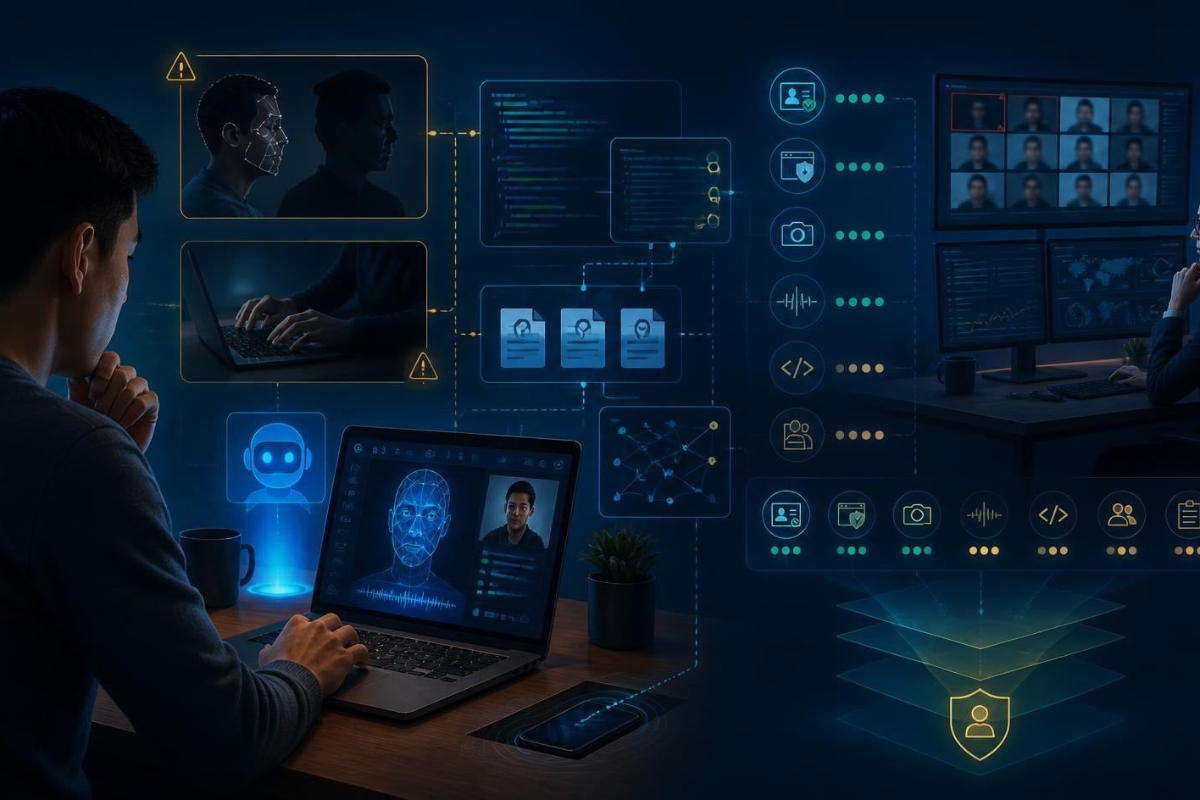
Online assessments have become a common first step in hiring because they allow recruiters to evaluate thousands of candidates without putting everyone in the same room.
But scale creates a new problem: how do you know the person taking the test is actually demonstrating their own skills?
A candidate taking an assessment from home may have access to external resources, AI tools, another device, or even another person. Recruiters, meanwhile, cannot realistically watch every candidate throughout every assessment.
That makes assessment integrity more than just a technology issue. It is a hiring-quality issue.
A high score doesn't mean much if the candidate didn't earn it.
Candidates may try different methods, from using unauthorized resources and generative AI to impersonation, copied code and leaked questions. The good news is that employers can reduce these risks by combining strong assessment design with identity verification, browser controls, plagiarism detection, AI-assisted proctoring and human review.
This article looks at the most common ways candidates may attempt to cheat, what employers can look for, and the controls that can help prevent them.
How Do Candidates Cheat in Online Assessments?
Candidates may cheat in online assessments by using unauthorized resources, generative AI, help from another person, a second device, an impersonator or leaked questions.
Employers can reduce these risks through identity verification, browser and device controls, behavioral monitoring, plagiarism and code-similarity detection, question randomization, AI-assisted proctoring and human review.
The important thing to remember is that no single control catches every type of cheating.
A candidate using AI may trigger a tab-switch alert. A proxy candidate may not. A leaked question may leave no obvious behavioral signal at all.
That's why assessment security works best as a layered system.
10 Ways Candidates May Cheat in Online Assessments
1. Using Unauthorized External Resources
What it looks like
A candidate uses notes, textbooks, reference material or another source while taking an assessment that is supposed to measure unaided knowledge.
Why it happens
It's one of the simplest ways to get help, particularly when the assessment relies heavily on questions testing recall rather than application.
What employers can look for
Recruiters may notice repeated off-screen attention, unusually long pauses before straightforward answers or responses that appear copied directly from reference material.
None of these signals proves cheating on its own. They simply provide a reason to look more closely.
How employers can prevent it
Use questions that require candidates to apply knowledge to a scenario, rather than relying only on definitions or memorized information.
Combine this with active monitoring throughout the session.
Relevant control
Continuous webcam monitoring and environment scanning.
2. Copying Answers From Online Sources
What it looks like
A candidate searches for an answer online and submits a matching or lightly edited version during the assessment.
Why it happens
Generic assessment questions are particularly vulnerable because many have already appeared on forums, websites and Q&A platforms.
What employers can look for
Look for answers that closely match publicly available content or submissions that appear unusually fast for the difficulty of the question.
How employers can prevent it
Don't keep recycling the same questions indefinitely.
Use a large, regularly refreshed question bank, randomize questions and use plagiarism or text-similarity checks where appropriate.
Relevant control
Question randomization combined with plagiarism detection.
3. Using Generative AI or AI Assistants
Generative AI has changed the assessment integrity problem considerably.
A candidate can potentially use an AI assistant to generate written responses, explain concepts or produce code within seconds.
What it looks like
A candidate switches away from the assessment, enters a question into an AI tool and returns with a generated response.
What employers can look for
Possible signals include:
- Assessment-window switching
- Long periods of inactivity
- Large blocks of text or code appearing suddenly
- Responses that appear significantly more polished than the candidate's stated experience suggests
Again, these are signals, not proof.
How employers can prevent it
Use secure browser controls and real-time tab-switch detection.
More importantly, design questions around specific scenarios and role requirements rather than generic prompts that an AI assistant can answer easily.
Relevant control
Full-screen enforcement with real-time browser-focus and tab-switch detection.
4. Getting Help From Another Person
Not every candidate who gets outside help is using an AI tool.
Sometimes, another person is simply helping them during the assessment.
What it looks like
The registered candidate takes the test while receiving answers or guidance through a call, chat or conversation happening outside the visible assessment.
What employers can look for
Potential signals include:
- Repeated off-screen attention
- A second voice
- Unusual response patterns
- Extended periods of looking away from the screen
How employers can prevent it
Video alone may not be enough.
Audio monitoring matters too, particularly when the assessment is intended to be completed independently.
Any suspicious activity should be reviewed in context rather than treated as an automatic rejection.
Relevant control
Continuous audio and video monitoring with voice-anomaly detection.
5. Using a Second Device
A candidate may use a phone, tablet or another laptop alongside the device on which they're taking the assessment.
What it looks like
The secondary device is kept outside the primary camera's field of view and used to search for information or communicate with someone else.
What employers can look for
Possible signals include repeated glances toward the same off-screen location, unusual hand movements or other device-related activity.
A webcam alone may not provide enough context.
How employers can prevent it
Set clear single-device expectations before the assessment and combine camera monitoring with other device and environment signals.
Relevant control
Multiple-device and object detection alongside standard video proctoring.
6. Impersonation or Proxy Test-Taking
This is one of the more serious forms of assessment fraud.
Instead of getting help during the test, someone else takes the assessment entirely.
What it looks like
The person completing the assessment isn't the candidate who registered for it.
Why it's difficult to detect
If the assessment only verifies identity once at login, a proxy test-taker may complete the entire session without triggering obvious behavioral alerts.
How employers can prevent it
Identity verification shouldn't be treated as a one-time formality.
Verify the candidate before the assessment and, where appropriate, use periodic re-verification during the session.
Relevant control
Facial verification against a government-linked identity at login, with additional identity checks during the assessment.
7. Copying or Reusing Code Solutions
Technical assessments have a slightly different version of the cheating problem.
Many coding questions have been solved publicly hundreds or thousands of times.
What it looks like
A candidate submits code that comes from an online repository, public solution, another candidate or an AI tool rather than writing the solution themselves.
What employers can look for
Potential indicators include:
- Code that doesn't match the candidate's usual style
- Overly sophisticated solutions for the stated experience level
- Strong similarity with known public solutions
- Similar code appearing across multiple candidates
How employers can prevent it
The strongest defence starts before the assessment even begins.
Instead of relying entirely on generic algorithm questions, use role-specific scenarios that reflect the actual work the candidate would do.
You can also combine this with code-similarity analysis.
Relevant control
Code similarity analysis combined with scenario-based technical questions.
8. Using Leaked or Shared Assessment Questions
Sometimes the problem isn't what happens during the test.
The candidate may have seen the question beforehand.
What it looks like
A candidate has access to questions through a prep community, forum, shared document or another source before taking the assessment.
Why it matters
A static question bank can remain in circulation for a long time.
Once a question and answer are widely shared, a candidate who has memorized the answer can appear exceptionally strong without actually demonstrating the underlying skill.
What employers can look for
This is difficult to identify at an individual level.
The stronger signal may appear across the candidate pool — for example, unusually high scores on particular questions.
How employers can prevent it
- Maintain large question banks
- Randomize questions
- Retire compromised questions
- Refresh content regularly
- Involve subject-matter experts in question development
Relevant control
Large, regularly refreshed and randomized question banks.
9. Exploiting Assessment or Browser Vulnerabilities
Some cheating attempts target the assessment platform itself.
What it looks like
A candidate attempts to exploit weaknesses in the assessment environment, such as unusual submission behaviour, timer inconsistencies or browser-level loopholes.
What employers can look for
Audit logs can reveal unusual activity such as:
- Multiple submissions
- Unexpected session resets
- Abnormal browser activity
- Other irregular session events
How employers can prevent it
Choose a platform with genuine secure-browser controls and a complete session audit trail.
A warning saying "Don't leave this window" is very different from technically restricting what candidates can do.
Relevant control
Secure browser controls and complete session auditing.
10. Coordinating With Others During a Remote Assessment
This becomes especially relevant during large campus or high-volume hiring drives.
Multiple candidates may take the same assessment during a shared time window, creating an opportunity for coordinated answer sharing.
What employers can look for
Look for patterns across the candidate pool, not just individual sessions:
- Highly similar answers
- Unusual score clusters
- Suspiciously similar submission timing
- Similar patterns among candidates from the same cohort
How employers can prevent it
Randomize questions and question order across candidates.
Then use cross-candidate analysis after the assessment to identify unusual similarities.
Relevant control
Batch-level analytics and cross-candidate similarity analysis.
Cheating Risk vs. Detection vs. Prevention
|
Cheating Risk |
What Employers May Notice |
Detection Approach |
Prevention |
|
Unauthorized resources |
Off-screen attention, unusual pauses |
Webcam/environment monitoring |
Scenario-based questions |
|
Online answer copying |
Near-identical answers |
Plagiarism detection |
Large, refreshed question bank |
|
Generative AI |
Window switching, unusual response patterns |
Browser and tab monitoring |
Scenario-specific questions |
|
Help from another person |
Second voice, repeated off-screen attention |
Audio/video monitoring |
Continuous monitoring |
|
Second device |
Repeated off-screen glances |
Device/object detection |
Single-device controls |
|
Impersonation |
Face mismatch |
Identity verification |
Verification before and during test |
|
Copied code |
Similarity with known solutions |
Code analysis |
Role-specific coding problems |
|
Leaked questions |
Score clustering |
Statistical analysis |
Randomized question banks |
|
Platform exploits |
Unusual audit-log activity |
Session monitoring |
Secure browser controls |
|
Group coordination |
Similar answers across candidates |
Cross-candidate analysis |
Randomized questions |
This layered approach is more reliable than expecting one technology to identify every form of cheating.
How to Detect Cheating in Online Assessments
No single signal proves that a candidate cheated.
Someone looking away from their screen might be reading a question again. A tab switch might be accidental. A technical issue could create an unusual session pattern.
That's why the best assessment security systems combine multiple signals and use automated flags as a reason for review, not automatic rejection.
Here are the main layers employers should consider:
- Identity verification: Confirm that the person taking the assessment is the registered candidate.
- Webcam monitoring: Track candidate presence and visual behaviour throughout the session.
- Screen monitoring: Detect unauthorized applications, browser activity or external content.
- Browser controls: Restrict access to external resources during the assessment.
- Tab-switch detection: Flag when candidates leave the assessment window.
- Multiple-device detection: Identify signals associated with additional devices.
- Suspicious activity monitoring: Combine smaller behavioural anomalies into a broader picture.
- Plagiarism detection: Compare written responses with public content and other submissions.
- Code similarity analysis: Check coding submissions against known or other candidate solutions.
- Behavioural analysis: Look at patterns across the full session rather than isolated moments.
- Question randomization: Reduce the impact of leaked questions.
- AI-assisted proctoring: Analyse multiple signals at scale.
- Human review: Allow a person to assess flagged sessions before action is taken.
- Post-assessment validation: Use a short follow-up interaction when the role or assessment stakes justify it.
The goal isn't maximum surveillance.
The goal is reliable assessment with enough context to distinguish genuine suspicious behaviour from normal candidate behaviour.
How AI Proctoring Helps Prevent Assessment Cheating
AI proctoring adds another layer to online assessment security by analysing signals such as video, audio and screen activity at scale.
Instead of requiring a human proctor to watch every candidate continuously, AI systems can identify patterns that may warrant closer review and route those sessions to human reviewers.
Research in this area is promising but also highlights important limitations.
A 2026 systematic review in Discover Education analysed 80 peer-reviewed studies published between 2014 and 2024 and examined the use of machine learning, deep learning and other technologies in automated proctoring. The review highlights the potential of approaches including CNNs and RNNs for detecting behavioural signals, while also pointing to concerns around false positives, generalisation, privacy and data security.
The important takeaway is that AI proctoring shouldn't be treated as an infallible cheating detector.
It works better when multiple signals are combined.
For example:
- Identity verification can help address impersonation.
- Video can monitor candidate presence.
- Audio can identify additional voices.
- Screen monitoring can flag external activity.
- Browser controls can restrict certain actions.
- Device detection can identify suspicious secondary-device behaviour.
- Human review can provide context when an automated system raises a flag.
This layered approach is also reflected in the assessment-security framework in the source article.
For employers looking to implement this approach, AI proctoring for online assessments combines identity verification and monitoring capabilities designed to support secure online assessments.
The bigger point is simple:
AI should help surface suspicious behaviour. It shouldn't make the final hiring decision by itself.
10 Ways Employers Can Prevent Online Assessment Cheating
If you're building or auditing an assessment process, start with these ten steps:
1. Verify candidate identity
Use identity verification before the assessment and, where appropriate, during the session.
2. Randomize questions
Candidates taking the same assessment shouldn't necessarily see the same questions in the same order.
3. Build larger question banks
Regularly refresh questions with subject-matter experts.
4. Use secure browser controls
Don't rely only on an instruction asking candidates not to leave the assessment window.
5. Monitor suspicious behaviour continuously
Look at the entire session rather than checking only what happens at login or submission.
6. Use plagiarism and code-similarity detection
Check both written and coding submissions where relevant.
7. Use AI-assisted proctoring
Automated monitoring can help identify suspicious sessions at a scale that manual review cannot.
8. Add post-assessment validation
For high-stakes roles, a short follow-up conversation can help confirm that a candidate understands their own answers or submitted work.
9. Combine assessment methods
Don't make one test the only source of evidence about a candidate's ability.
10. Review assessment security regularly
Cheating methods evolve. Your assessment controls should evolve with them.
How to Prevent Cheating in Technical and Coding Assessments
Technical hiring has an additional challenge: the internet already contains answers to many coding questions.
A generic programming problem may test whether a candidate can find or reproduce an existing solution rather than whether they can actually solve the kind of problem they'll face at work.
That's why assessment design matters as much as proctoring.
Instead of relying only on generic algorithm questions, use role-specific and scenario-based technical assessments.
For example:
- A backend engineer could work through an architecture or debugging scenario.
- A data engineer could solve a data-pipeline problem.
- A developer could work through a real-world implementation problem.
The assessment should reflect the skills the person is actually expected to use on the job.
Technical assessments can be used for role-based technical evaluation across multiple domains.
For coding roles specifically, online coding assessments can combine scenario-based questions with coding environments and assessment-security controls.
The advantage of scenario-based questions is that they test reasoning and application, not just whether someone remembers a familiar coding pattern.
And for high-stakes hiring, there is another useful layer:
Ask the candidate to explain their own submitted work.
A short follow-up conversation can reveal whether the candidate understands the decisions behind the code they submitted.
Online Assessment Anti-Cheating Checklist
Use this checklist when evaluating an assessment platform:
- Does the platform verify candidate identity before and during the test?
- Can it detect suspicious browser behaviour and tab switching?
- Does it support AI-assisted monitoring across video, audio and screen signals?
- Can it identify suspicious code similarity?
- Can recruiters review recorded evidence behind a flag?
- Does it use a sufficiently large and regularly refreshed question bank?
- Can it detect signals associated with multiple devices?
- Does it provide a complete audit trail?
- Does it clearly explain what candidate data is being monitored?
- Can a human review suspicious sessions before a candidate is rejected?
What to Look for in an Online Assessment Platform
Choosing an assessment platform shouldn't be about finding the longest feature list.
Instead, evaluate it across these eight areas:
Assessment Security
Look for question randomization, large question banks and role-specific assessments that are harder to leak or reuse.
Proctoring
Look for continuous monitoring rather than a single identity check at login.
Identity Verification
Make sure the platform can establish that the person taking the test is actually the registered candidate.
AI & Behavioural Detection
Look for multiple signals browser behaviour, tab switches, device activity and other anomalies rather than one isolated flag.
Coding Integrity
For technical hiring, look for code-similarity analysis and scenario-based coding questions.
Reporting
Flags should come with evidence, audit trails and enough information for recruiters to review what happened.
Candidate Experience
Security shouldn't make the assessment unnecessarily difficult for legitimate candidates.
Privacy & Compliance
Candidates should understand what is being monitored, why it is being collected and how their data is handled.
For employers evaluating broader assessment capabilities alongside these security controls, AI-powered assessments are another relevant part of the hiring workflow.
FAQs
How do candidates cheat in online assessments?
Candidates may use unauthorized resources, generative AI, help from another person, a second device or impersonation. They may also rely on leaked questions or copied solutions. Because each method creates different signals, employers need multiple layers of detection rather than relying on one control.
Can candidates use ChatGPT during an online assessment?
If an assessment doesn't restrict browser activity or monitor window switching, candidates may be able to access external AI tools. Secure browser controls and real-time tab-switch detection can help identify when a candidate leaves the assessment environment.
How do online assessment platforms detect cheating?
They can combine identity verification, video and audio monitoring, browser controls, device detection, plagiarism checks, code-similarity analysis and behavioural signals. AI-assisted proctoring can process these signals at scale, while human reviewers provide the final context for flagged sessions.
Can online proctoring detect a second device?
Modern proctoring systems can identify signals associated with secondary devices, although no single signal is definitive. Device detection works best when combined with video monitoring and other behavioural signals.
Can AI proctoring detect suspicious behaviour?
Yes, AI-based proctoring systems can analyse behavioural and visual signals to identify patterns that may indicate suspicious activity. However, research also highlights false positives, differences across environments and privacy concerns, so flagged sessions should still receive appropriate human review.
How can companies prevent cheating in technical assessments?
Use role-specific and scenario-based questions, maintain a large and regularly refreshed question bank, use code-similarity checks and consider a short live follow-up for high-stakes technical roles.
What is online assessment fraud?
Online assessment fraud refers to attempts to misrepresent a candidate's actual ability during a remote assessment. This can include impersonation, unauthorized assistance, copied work or AI-generated responses submitted as the candidate's own.
What is the difference between proctoring and AI proctoring?
Traditional proctoring depends primarily on human observation, while AI proctoring uses automated models to monitor and analyse assessment signals at scale. In a strong setup, AI identifies sessions that need attention and human reviewers assess the flagged evidence.
How can recruiters verify assessment results?
A short follow-up interaction can help recruiters confirm that a candidate understands their submitted answers or work. This is particularly useful for coding and technical assessments, where candidates can be asked to explain their own approach.
How should employers handle suspected cheating?
A flag should be treated as a reason for review, not automatic proof of cheating. Recruiters should examine the supporting evidence and consider technical issues, accessibility requirements and other explanations before making a final decision.
Conclusion
Cheating in online assessments isn't one problem with one solution.
A candidate using AI creates a different risk from someone using a second device. Impersonation requires a different control from leaked questions. And a generic coding question can be vulnerable even when the assessment platform itself is secure.
That's why the strongest assessment processes combine better question design, identity verification, secure browser controls, behavioural monitoring, plagiarism and code-similarity detection, AI-assisted proctoring and human review.
For HR and talent acquisition teams, the practical next step is simple:
Audit your current assessment process against these layers.
Ask where a candidate could bypass the system, where your platform would detect it, and what happens after a suspicious activity is flagged.
Because assessment security isn't just about stopping cheating.
It's about making sure the person who gets hired is actually the person who earned the score.
Login to continue reading
And access exclusive content, personalized recommendations, and career-boosting opportunities.
Don't have an account? Sign up

Never miss an
Update





Top-Rated Practice by Students



Subscribe
to our newsletter


Blogs you need to hog!
Organize Hackathons: The Ultimate Playbook With Past Case Studies
Shivani Goyal

What is Campus Recruitment? How To Tap The Untapped Talent?
Shivangi Vatsal
Lateral Hiring: A Complete Guide To The Process, Its Benefits, Challenges & Best Practices
Srishti Magan
Step-By-Step Approach To Building A Winning Campus Recruitment Strategy
Srishti Magan

Comments
Add comment