


 Home
Home


HP Power Lab 3.0
Table of content:
- How to Choose the Right Talent Acquisition Software
- What Is Talent Acquisition Software?
- Talent Acquisition Software vs. ATS: What's the Difference?
- The 10-Step Buying Framework
- 15 Essential Features of Talent Acquisition Software
- How to Compare Talent Acquisition Platforms
- Talent Acquisition Software Evaluation Scorecard
- 15 Questions to Ask Talent Acquisition Software Vendors
- 10 Mistakes to Avoid When Choosing Talent Acquisition Software
- Choose Software That Supports Your Entire Hiring Journey
- FAQs
- Read More

Talent Acquisition Software: How to Choose the Right Platform
A practical guide to choosing the right talent acquisition software, covering key features, sourcing, screening, assessments, interviews, integrations, analytics, scalability, pricing, and vendor support.
 0 min read
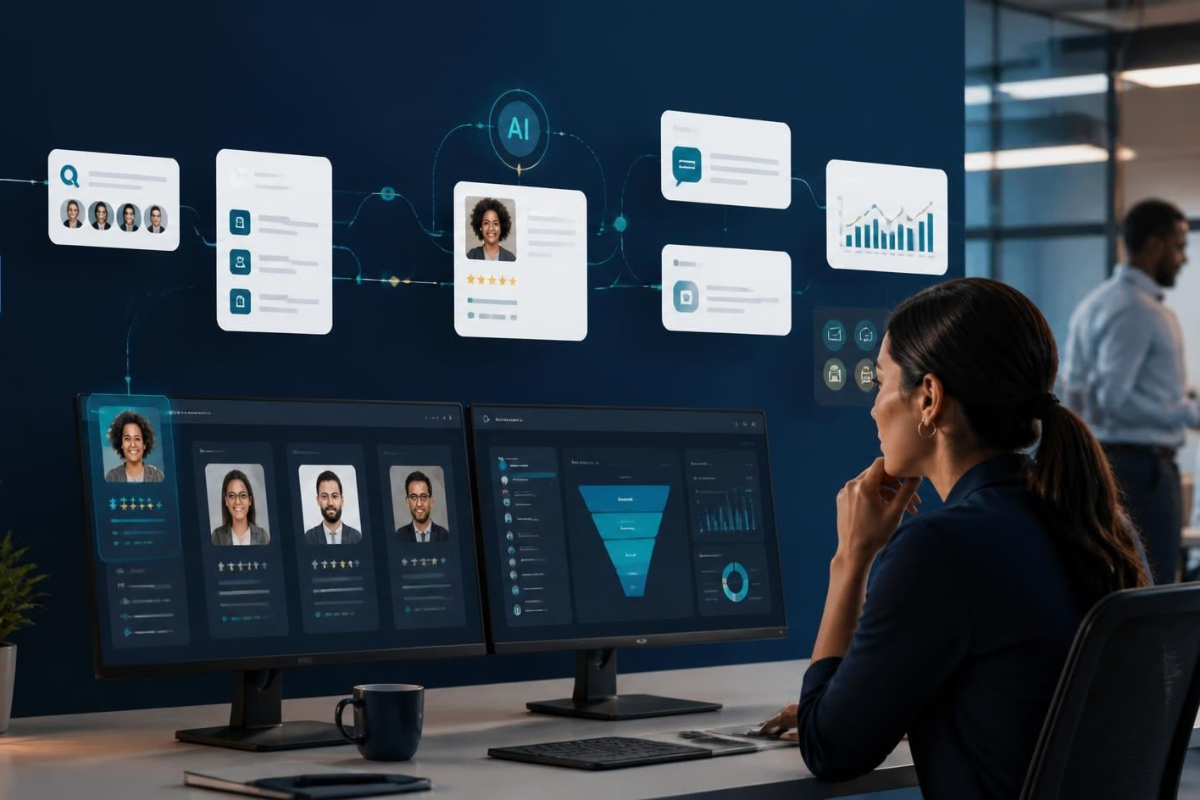
Hiring today involves a lot more than collecting resumes and moving candidates from one stage to another.
Recruiters are sourcing candidates, screening applications, running assessments, scheduling interviews, managing candidate communication, tracking hiring metrics, and trying to keep the entire process moving without creating more manual work.
That's where talent acquisition software comes in.
But choosing one isn't as simple as picking the platform with the longest feature list.
A platform may have impressive AI capabilities but weak integrations. Another might have excellent analytics but a frustrating candidate experience. A third may work perfectly for a small team but struggle when hiring volume suddenly doubles.
The right talent acquisition software should fit your hiring volume, recruitment workflow, integrations, AI requirements, analytics needs, scalability, and long-term hiring goals.
In other words, don't ask "Which platform has the most features?"
Ask "Which platform fits the way we actually hire?"
How to Choose the Right Talent Acquisition Software
Here are the 10 areas you should evaluate before making a decision:
- Define your hiring goals
- Evaluate sourcing capabilities
- Review screening automation
- Assess built-in assessments
- Evaluate interview automation
- Prioritize candidate experience
- Verify integrations
- Compare analytics
- Test scalability
- Evaluate vendor support
Each one can reveal a different gap between what a platform promises and what your recruitment team actually needs.
What Is Talent Acquisition Software?
Talent acquisition software is a technology platform that helps organizations manage the recruitment lifecycle, from sourcing and screening candidates to assessments, interviews, hiring decisions, and reporting.
The key difference is that it is designed to connect multiple parts of the hiring journey instead of solving just one problem.
For example, instead of using one tool for sourcing, another for assessments, another for interviews, and another for analytics, a talent acquisition platform can bring several of these workflows together.
That doesn't mean every organization needs an all-in-one platform.
It simply means you should understand how much of your hiring workflow you actually want one system to own.
Talent Acquisition Software vs. ATS: What's the Difference?
The two terms are often used interchangeably, but they're not quite the same.
|
Talent Acquisition Software |
ATS |
|
Supports the broader hiring workflow |
Primarily manages applications |
|
Candidate sourcing |
Limited sourcing |
|
Employer branding |
Usually limited |
|
AI screening |
Varies by platform |
|
Assessments |
Often available |
|
Interview automation |
Often available |
|
Broader hiring analytics |
Primarily recruitment pipeline data |
An Applicant Tracking System (ATS) is primarily designed to manage candidates as they move through defined hiring stages.
Talent acquisition software usually covers more of the journey, potentially including sourcing, assessments, interviews, employer branding, and analytics.
Of course, the line isn't always clear anymore. Many modern platforms combine ATS functionality with broader talent acquisition capabilities.
So the question isn't necessarily ATS vs. talent acquisition software.
The better question is:
How much of your hiring workflow do you want one platform to handle?
The 10-Step Buying Framework
1. Start With Your Hiring Goals
Before looking at features, look at your hiring process.
Campus hiring, lateral hiring, executive recruitment, technical hiring, high-volume recruitment, and seasonal hiring can all require very different workflows.
A platform that works brilliantly for one may not be the right fit for another.
What to evaluate
Look at the types of hiring that make up most of your recruitment volume.
Then ask whether the platform has workflows built around those specific needs.
Questions to ask
- Which hiring types does this platform primarily support?
- Does it have specific workflows for campus and lateral hiring?
- Can it handle our current hiring volume?
Red flag
Be cautious if a platform built primarily for one type of recruitment is presented as equally suitable for a completely different hiring model.
Start with your hiring reality, not the vendor's feature sheet.
2. Evaluate Candidate Sourcing
Great hiring starts with having the right people in your candidate pool.
That's why sourcing deserves attention before you even get to screening.
What to evaluate
Look at:
- Talent pools
- Job distribution
- Campus communities
- Referral tools
- Internal talent mobility
- AI-assisted sourcing
Also consider whether the platform can help you build relationships with candidates over time rather than simply collecting applications.
Questions to ask
- Can the platform source passive candidates?
- Can it build and nurture talent communities?
- Does it support campus recruitment?
- Can recruiters search and filter talent pools effectively?
Red flag
If sourcing essentially means posting a job and waiting for applications, you're probably looking at a fairly limited sourcing capability.
3. Review Screening Capabilities
Screening is where recruitment teams can lose a lot of time, particularly when application volumes are high.
The goal of automation isn't simply to eliminate manual screening.
It's to help recruiters spend their time on the candidates who actually need human attention.
What to evaluate
Look for:
- AI-assisted screening
- Resume parsing
- Skill-based filters
- Automated shortlisting
- Role-specific evaluation criteria
Questions to ask
- Can recruiters review AI-generated recommendations?
- Can they override them?
- Can screening criteria be customized for different roles?
- Can recruiters understand why a candidate was shortlisted or filtered out?
Red flag
Avoid black-box screening where recruiters have little visibility into why candidates were ranked or rejected.
Automation should make recruiters faster, not make the hiring process impossible to question.
4. Assess Built-In Assessments
Assessments are often where recruitment workflows become fragmented.
Candidates may have to leave one platform, create another account, complete a test elsewhere, and then return to the original hiring process.
Built-in assessments can reduce that friction.
What to evaluate
Check whether the platform supports the types of assessments your roles actually require:
- Aptitude tests
- Coding tests
- Technical assessments
- Communication assessments
- Business simulations
- Role-specific assessments
Questions to ask
For example, when evaluating Unstop AI assessment agent, ask whether the assessment library covers the specific skills your open roles require or is limited mainly to generic aptitude testing.
Red flag
A platform may claim to be "end-to-end," but if you still need to purchase a separate assessment tool for most of your hiring requirements, that promise becomes less meaningful.
5. Evaluate Interview Automation
Interview coordination can become surprisingly messy.
Recruiters are checking calendars, contacting candidates, rescheduling meetings, sending reminders and coordinating with hiring managers — often over email.
At scale, that becomes a lot of repetitive work.
What to evaluate
Look for:
- AI-assisted interviews
- Automated scheduling
- Candidate reminders
- Structured interview workflows
- Role-specific scorecards
Questions to ask
- Does scheduling sync with recruiter and hiring-manager calendars?
- Are reminders automated?
- Can interview scorecards be customized by role?
- Can candidates easily reschedule when needed?
Red flag
If the platform is marketed as "automated" but recruiters still have to manually coordinate interviews through email, there's a gap between the product promise and the actual workflow.
6. Don't Ignore Candidate Experience
Recruiters aren't the only people using your hiring platform.
Candidates are too.
A platform can have an excellent recruiter dashboard and still create a frustrating experience for candidates.
And that can affect application completion, assessment participation and how candidates perceive your employer.
What to evaluate
Pay attention to:
- Mobile experience
- Application simplicity
- Candidate communication
- Scheduling experience
- Assessment experience
- Overall ease of navigation
Questions to ask
Has the complete candidate journey actually been tested on mobile?
Don't settle for a desktop demo.
Red flag
A polished recruiter interface paired with a confusing, outdated candidate experience is something you'll want to catch before signing.
7. Verify Integrations Before You Sign
A platform can have every feature you need and still create more work if it doesn't connect to the systems you already use.
Without the right integrations, recruiters may end up moving candidate data manually between systems, maintaining duplicate records or doing work that the software was supposed to eliminate.
What to evaluate
Check for:
- ATS integrations
- HRMS integrations
- Calendar and email sync
- Single Sign-On (SSO)
- APIs
- Webhooks
Questions to ask
- Which integrations are native?
- Which require custom development?
- Can we see the API documentation before signing?
- What happens to data when systems sync?
Red flag
Be careful with integrations described as "possible" without an existing, documented connector.
"We can integrate with that" and "we already have an integration" are not the same thing.
8. Compare Analytics That Help You Make Decisions
Recruitment analytics should do more than tell you how many applications you received.
The useful question is:
Can the data help us understand what's working — and what's not?
What to evaluate
Look for:
- Time-to-hire tracking
- Source-quality analysis
- Funnel conversion rates
- Recruiter productivity metrics
- Hiring trends
- Exportable reports
- Custom dashboards
Questions to ask
- Can reports be customized?
- Can data be exported?
- Can we break down conversion by hiring stage?
- Can we compare different sourcing channels?
Red flag
If your analytics dashboard is mostly showing application counts, but can't tell you where candidates are dropping out or which sources are producing quality candidates, you're missing the information that actually helps improve hiring.
9. Test Scalability Before You Commit
A platform can work perfectly during a pilot and still struggle when real hiring volume arrives.
Think about what happens during:
- Campus hiring drives
- Multiple simultaneous recruitment campaigns
- Large assessment windows
- Multiple recruiters using the system
- Multiple business units hiring at once
- International recruitment
What to evaluate
Test:
- Performance under concurrent usage
- Multiple recruiter access
- Multiple business-unit support
- International hiring capabilities
- Pricing at higher volumes
Questions to ask
What happens if our hiring volume doubles?
Ask about both the technical impact and the commercial impact.
Red flag
If the vendor can't clearly explain how performance and pricing change as your usage grows, that's something to investigate before signing a long-term contract.
10. Evaluate Vendor Support
Even the best software will eventually have an issue.
What matters is what happens when it does.
What to evaluate
Look at:
- Onboarding
- Customer success
- SLA commitments
- Technical support
- Training resources
- Account management
Questions to ask
Don't settle for "our support team is very responsive."
Ask:
What are the contractual response and resolution targets for critical issues?
That's a much more useful answer.
Red flag
If support commitments exist only in sales conversations and aren't documented in an SLA or contract, ask more questions before moving forward.
15 Essential Features of Talent Acquisition Software
Depending on your hiring needs, these are some of the capabilities worth evaluating:
- AI-assisted sourcing
- Resume screening and parsing
- Candidate matching against role requirements
- Configurable assessments
- Technical and coding tests
- Interview automation
- Automated scheduling
- Talent pool and community management
- Employer branding tools
- Hiring analytics and dashboards
- Native ATS integration
- HRMS integration
- Mobile-optimized candidate experience
- Configurable automation workflows
- Exportable and customizable reporting
Don't treat this as a checklist where every box has to be ticked.
A feature is only valuable if your hiring team will actually use it.
How to Compare Talent Acquisition Platforms
When you're comparing multiple vendors, use the same framework for all of them.
|
Category |
What to Evaluate |
|
Sourcing |
Talent pools, job distribution |
|
Screening |
AI, automation |
|
Assessments |
Skills testing |
|
Interviews |
Scheduling and automation |
|
Candidate Experience |
Application and hiring journey |
|
Integrations |
ATS, HRMS, APIs |
|
Analytics |
Hiring insights |
|
Scalability |
Growth readiness |
|
Support |
SLA and responsiveness |
|
Pricing |
Total cost |
This makes it easier to see the actual trade-offs instead of getting distracted by whichever vendor has the flashiest demo.
Talent Acquisition Software Evaluation Scorecard
If you're shortlisting several platforms, score each one from 1 to 5 across:
- Sourcing
- Screening
- Assessments
- Interviews
- Employer branding
- Integrations
- Analytics
- AI capabilities
- Support
- Pricing transparency
But don't give every category the same weight.
For example, a company doing large-scale campus hiring may care much more about sourcing and assessments.
An enterprise with a complicated technology stack may care more about integrations and support.
There is no universal scoring system. Your scorecard should reflect your hiring priorities.
15 Questions to Ask Talent Acquisition Software Vendors
Before you sign, ask:
- How does candidate sourcing actually work?
- What AI capabilities are included?
- How are AI recommendations explained to recruiters?
- Which integrations are native and which require custom development?
- Can recruiters review and override AI screening recommendations?
- What analytics are available out of the box?
- How does pricing change as candidate volume grows?
- What implementation support is included?
- What SLA applies to critical support issues?
- Can assessments be customized for specific roles?
- Does the platform specifically support campus hiring?
- How is candidate data secured and who owns it?
- What does onboarding and training involve?
- Is there a dedicated account manager?
- What happens if we need to reduce or cancel usage mid-contract?
These questions will usually tell you much more than another 60-minute product demo.
10 Mistakes to Avoid When Choosing Talent Acquisition Software
1. Choosing based on price alone
The cheapest platform isn't necessarily the cheapest once implementation, integrations and additional tools are factored in.
2. Ignoring integrations until after signing
Finding out that your systems don't connect properly after implementation is an expensive lesson.
3. Skipping scalability testing
A successful pilot doesn't guarantee the platform will handle your peak hiring volume.
4. Overlooking candidate experience
Don't evaluate the platform only from the recruiter's side.
5. Ignoring support and SLAs
You don't want to discover your support limitations during a live hiring campaign.
6. Assuming AI solves everything
AI should support recruiters, not remove the need for human oversight.
7. Waiting too long to evaluate reporting
Make sure the platform can answer the questions your leadership team will eventually ask.
8. Buying features nobody will use
A huge feature list doesn't automatically mean better value.
9. Not testing real workflows
A guided demo is not the same thing as actually running your recruitment process through the platform.
10. Choosing only for today's hiring volume
Your software should be able to grow with your recruitment needs.
Choose Software That Supports Your Entire Hiring Journey
The biggest mistake you can make when evaluating talent acquisition software is looking at every feature in isolation.
Sourcing matters.
Screening matters.
Assessments matter.
Interviews matter.
Analytics matter.
But what matters even more is how all of those pieces work together.
A platform that makes one stage of recruitment significantly better but creates friction everywhere else may not actually improve your hiring process.
Modern platforms such as the Unstop hiring talent platform bring together capabilities such as the Unstop AI sourcing agent, Unstop AI screening agent, assessments and Unstop ATS software into a connected hiring workflow.
That's the same principle you should use when evaluating any platform: look at the entire hiring journey, not just the features that look impressive in a demo.
If you're currently building a shortlist, start with your own hiring workflow.
Map out how you currently source, screen, assess, interview and hire.
Then compare each platform against that workflow.
The right talent acquisition software isn't the one with the most features. It's the one that removes the most friction from the way you actually hire.
FAQs
What is talent acquisition software?
Talent acquisition software is a technology platform that helps manage the recruitment lifecycle, from sourcing and screening through assessments, interviews and hiring analytics. It is designed to connect multiple stages of the hiring process rather than operate as an isolated point solution.
How is talent acquisition software different from an ATS?
An ATS primarily manages candidates as they move through defined hiring stages. Talent acquisition software generally covers a broader part of the hiring journey, including sourcing, assessments, interview automation and employer branding. Many modern platforms now combine both.
What features should talent acquisition software have?
Common features include AI-assisted sourcing, resume screening, candidate matching, assessments, interview automation, scheduling, talent-pool management, employer branding, hiring analytics and ATS or HRMS integrations. The right combination depends on your hiring requirements.
How do AI hiring platforms work?
AI hiring platforms use automated models to assist with tasks such as sourcing, screening and assessment scoring. Good implementations keep recruiters involved by allowing them to review and override AI-generated recommendations rather than completely automating hiring decisions.
What integrations are important?
Important integrations typically include your ATS or HRMS, calendar and email systems, SSO and API access. The right integrations help reduce manual data transfer and duplicate candidate records.
How much does talent acquisition software cost?
Pricing varies depending on hiring volume, features, modules and usage. Instead of looking only at the subscription price, consider the total cost of ownership, including implementation, integrations and usage-based fees.
How do I compare recruitment platforms?
Compare every platform against the same criteria: sourcing, screening, assessments, interviews, candidate experience, integrations, analytics, scalability, support and pricing. Weight the categories according to your organization's priorities.
Can talent acquisition software support campus hiring?
Many platforms offer campus hiring capabilities such as talent communities, bulk assessments and high-volume screening. However, you should confirm this directly with the vendor because not every platform is designed for the timing and scale of campus recruitment.
What analytics should hiring software provide?
Useful analytics can include time-to-hire, source quality, funnel conversion rates, recruiter productivity and customizable reports. Simply showing the number of applications isn't enough to understand how effectively your hiring process is working.
How do I choose the right platform?
Start with your hiring goals and workflow. Then evaluate sourcing, screening, assessments, interviews, candidate experience, integrations, analytics, scalability and support against those requirements. Choose the platform that fits your hiring process — not simply the one with the longest feature list.
Read More
- 10 Best Talent Analytics Metrics Every TA Leader Should Track
- 10 Red Flags to Watch for When Evaluating an Assessment Vendor
- Recruitment CRM vs ATS: Difference & Which You Need
- Why HR Tech Consolidation Is a Top Priority for TA Leaders in 2026
Login to continue reading
And access exclusive content, personalized recommendations, and career-boosting opportunities.
Don't have an account? Sign up

Never miss an
Update





Top-Rated Practice by Students





Subscribe
to our newsletter


Blogs you need to hog!
Organize Hackathons: The Ultimate Playbook With Past Case Studies
Shivani Goyal

What is Campus Recruitment? How To Tap The Untapped Talent?
Shivangi Vatsal
Lateral Hiring: A Complete Guide To The Process, Its Benefits, Challenges & Best Practices
Srishti Magan
Step-By-Step Approach To Building A Winning Campus Recruitment Strategy
Srishti Magan

Comments
Add comment