


 Home
Home


HP Power Lab 3.0
Table of content:
- What Is Type Conversion In Java?
- Types Of Type Conversion In Java
- Ways To Convert int To double In Java
- Common Mistakes To Avoid While Converting int To double
- Conclusion
- Frequently Asked Questions

Learn How To Convert int To double In Java - With Code Examples
Learn how to convert int to double in Java using implicit casting, wrapper classes, and array conversion. Understand type conversion types, avoid common mistakes, and explore practical examples.
 0 min read
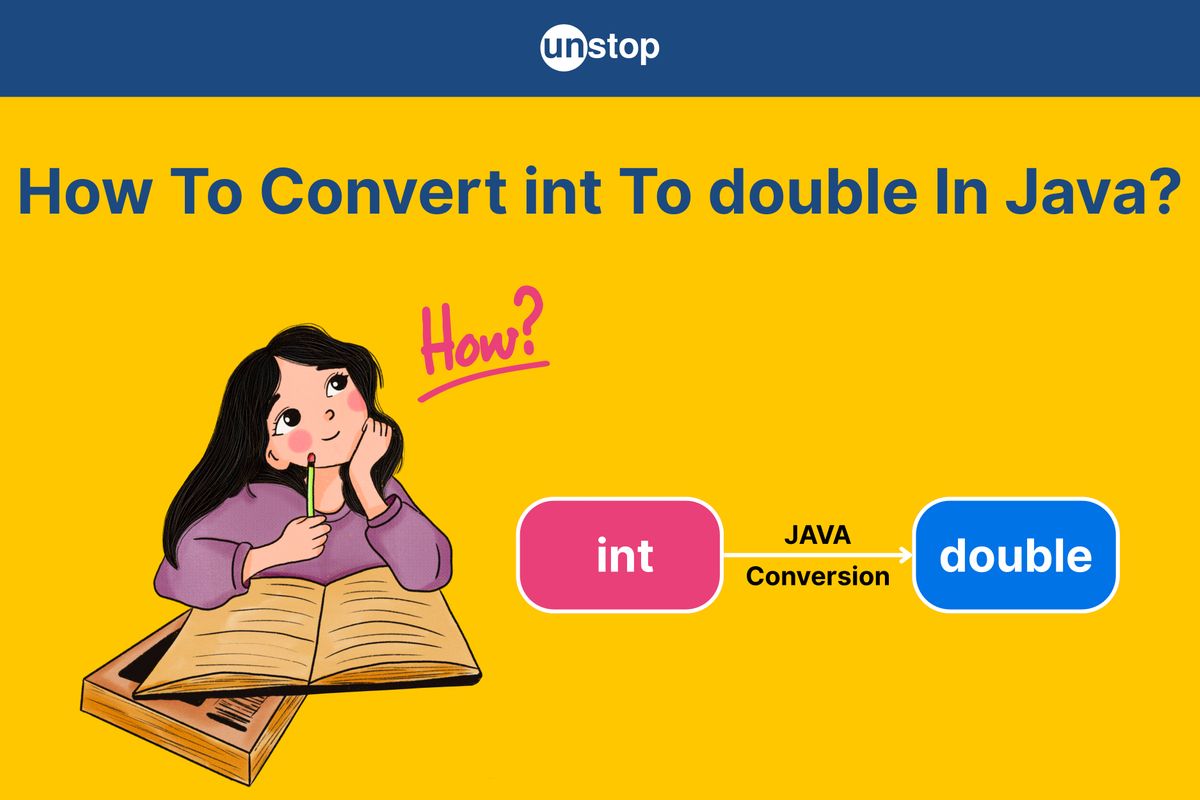
In Java, converting data from one type to another is a common task, especially when working with numeric types like int and double. Whether you're performing mathematical operations, ensuring precision in calculations, or integrating with APIs that require floating-point numbers, converting an int to a double becomes essential. Fortunately, Java offers both implicit (automatic) and explicit (manual) methods for this conversion. In this article, we’ll walk you through the different ways to convert an int to a double in Java, highlight best practices, and discuss common pitfalls—all with hands-on examples to make your learning experience smooth and effective.
What Is Type Conversion In Java?
Type conversion in Java programming language refers to the process of converting a variable from one data type to another. It is a fundamental concept in Java programming that enables operations between different data types to be performed seamlessly. Java is a statically typed language, meaning that each variable's type is known at compile time. To maintain type compatibility and prevent type mismatch errors during operations or assignments, Java supports automatic and manual type conversions.
Significance:
- Ensures compatibility during mixed-type operations (e.g., adding an int to a double).
- Helps avoid compile-time errors.
- Maintains accuracy in arithmetic expressions.
- Facilitates working with APIs or methods that expect specific data types.
Types Of Type Conversion In Java
Java provides two main types of type conversion:
1. Implicit Type Conversion (Widening Conversion)
Also known as automatic type promotion, this occurs when Java automatically converts a smaller data type to a larger one, such as from int to double. Widening conversion is safe and does not lead to data loss because the target type has a wider range than the source type.
Example:
int num = 10;
double result = num; // Automatically converted from int to double
Here, Java converts the int to double without requiring explicit instructions. This allows developers to work with mixed data types conveniently and accurately.
Characteristics:
- Performed automatically by the compiler
- No data loss
- No need for explicit casting
- Occurs when assigning:
byte → short → int → long → float → double
2. Explicit Type Conversion (Narrowing Conversion / Type Casting)
Explicit type conversion is required when converting a larger data type into a smaller one, such as double to int. Since narrowing conversions can lead to data loss or precision loss, Java requires the use of a cast operator to confirm the programmer’s intent.
Example:
double value = 10.5;
int result = (int) value; // Decimal part is lost, result = 10
While this is not used for int to double, understanding explicit casting is important when working with reverse conversions.
Characteristics:
- Requires explicit casting
- May result in data or precision loss
- Used when converting from a wider type to a narrower type
Why Converting int To double Matters
Converting an int to a double is a common and often necessary operation in Java. Here's why it is important:
- Mathematical Accuracy: When performing division or other arithmetic operations, using only int may lead to incorrect results due to integer division. Converting at least one operand to double ensures decimal accuracy. Example:
int a = 5, b = 2;
double result = a / (double) b; // Correctly gives 2.5 instead of 2
- Compatibility with Methods: Some Java methods and third-party libraries expect a double input. Passing an int directly may not be allowed unless it’s converted.
- Mixed-Type Expressions: When an arithmetic expression involves both int and double, Java automatically converts the int to double to maintain type consistency and precision.
Understanding how and why to convert int to double ensures more accurate computations and more robust Java programs.
Ways To Convert int To double In Java
There are several ways to convert an int to a double in Java. Most of them leverage Java's automatic type conversion (also known as widening conversion), but you can also use explicit techniques depending on your coding preferences or context:
1. Implicit Type Conversion (Widening Conversion)
In Java, int is automatically converted to double when assigned to a double variable using the assignment operator. This is known as widening because double has a wider range than int.
Code Example:
            public class ImplicitConversion {
    public static void main(String[] args) {
        int number = 42;
        double result = number; // Implicit conversion
        System.out.println(result);
    }
}
cHVibGljIGNsYXNzIEltcGxpY2l0Q29udmVyc2lvbiB7CiAgICBwdWJsaWMgc3RhdGljIHZvaWQgbWFpbihTdHJpbmdbXSBhcmdzKSB7CiAgICAgICAgaW50IG51bWJlciA9IDQyOwogICAgICAgIGRvdWJsZSByZXN1bHQgPSBudW1iZXI7IC8vIEltcGxpY2l0IGNvbnZlcnNpb24KICAgICAgICBTeXN0ZW0ub3V0LnByaW50bG4ocmVzdWx0KTsKICAgIH0KfQo=
Output:
42.0
Explanation:
In the above code example-
- We start by defining a class named ImplicitConversion, which follows standard Java class declaration syntax.
- Inside the class, we define the main method, which is the entry point for any Java application.
- We declare an integer variable number and assign it the value 42.
- Next, we assign number to a double variable named result. Here, we observe an implicit conversion taking place—from int to double.
- This implicit conversion happens automatically because Java allows widening conversions without explicit casting, and a double can easily accommodate an int value.
- Finally, we print the value of result using System.out.println, which outputs 42.0 instead of 42, reflecting that it's now a double.
2. Explicit Type Casting
Although not required, you can explicitly cast int to double using type casting syntax.
Code Example:
            public class ExplicitCasting {
    public static void main(String[] args) {
        int number = 42;
        double result = (double) number; // Explicit conversion
        System.out.println(result);
    }
}
cHVibGljIGNsYXNzIEV4cGxpY2l0Q2FzdGluZyB7CiAgICBwdWJsaWMgc3RhdGljIHZvaWQgbWFpbihTdHJpbmdbXSBhcmdzKSB7CiAgICAgICAgaW50IG51bWJlciA9IDQyOwogICAgICAgIGRvdWJsZSByZXN1bHQgPSAoZG91YmxlKSBudW1iZXI7IC8vIEV4cGxpY2l0IGNvbnZlcnNpb24KICAgICAgICBTeXN0ZW0ub3V0LnByaW50bG4ocmVzdWx0KTsKICAgIH0KfQo=
Output:
42.0
Explanation:
In the above code example-
- We begin by defining a class named ExplicitCasting, which follows the standard Java structure.
- Inside the class, we define the main method, which is where our program execution begins.
- We declare an integer variable number and assign it the value 42.
- Then, we assign number to a double variable called result, but this time we explicitly cast it using (double) number.
- Even though Java allows implicit conversion from int to double, we manually specify the cast to make the conversion intention clear.
- This explicit casting doesn’t change the result but helps emphasize that a type conversion is taking place.
- Finally, we print the value of result using System.out.println, and the output is 42.0, indicating that the integer has been converted to a double.
3. Using Double.valueOf() Method
The Double wrapper class provides the valueOf() method to convert an int to a Double object (not just double primitive).
Code Example:
            public class WrapperConversion {
    public static void main(String[] args) {
        int number = 42;
        Double result = Double.valueOf(number);
        System.out.println(result);
    }
}
cHVibGljIGNsYXNzIFdyYXBwZXJDb252ZXJzaW9uIHsKICAgIHB1YmxpYyBzdGF0aWMgdm9pZCBtYWluKFN0cmluZ1tdIGFyZ3MpIHsKICAgICAgICBpbnQgbnVtYmVyID0gNDI7CiAgICAgICAgRG91YmxlIHJlc3VsdCA9IERvdWJsZS52YWx1ZU9mKG51bWJlcik7CiAgICAgICAgU3lzdGVtLm91dC5wcmludGxuKHJlc3VsdCk7CiAgICB9Cn0K
Output:
42.0
Explanation:
In the above code example-
- We define a class named WrapperConversion, following Java's standard class declaration format.
- Inside this class, we create the main method, which serves as the program’s entry point.
- We declare an integer variable number and assign it the value 42.
- Next, we convert this primitive int value to an object of the Double wrapper class using Double.valueOf(number).
- This is an example of manual boxing, where we wrap a primitive value into its corresponding wrapper class.
- We store the result in a Double reference variable named result, which now holds the boxed value 42.0.
- Finally, we print the result using System.out.println, and the output is 42.0, confirming the successful conversion from primitive to wrapper.
3. Using Arithmetic with a Double Literal
When an int is used in an expression with a double, Java promotes the int to double automatically.
Code Example:
            public class ArithmeticConversion {
    public static void main(String[] args) {
        int number = 42;
        double result = number + 0.0; // Promoted to double via arithmetic
        System.out.println(result);
    }
}
cHVibGljIGNsYXNzIEFyaXRobWV0aWNDb252ZXJzaW9uIHsKICAgIHB1YmxpYyBzdGF0aWMgdm9pZCBtYWluKFN0cmluZ1tdIGFyZ3MpIHsKICAgICAgICBpbnQgbnVtYmVyID0gNDI7CiAgICAgICAgZG91YmxlIHJlc3VsdCA9IG51bWJlciArIDAuMDsgLy8gUHJvbW90ZWQgdG8gZG91YmxlIHZpYSBhcml0aG1ldGljCiAgICAgICAgU3lzdGVtLm91dC5wcmludGxuKHJlc3VsdCk7CiAgICB9Cn0K
Output:
42.0
Explanation:
In the above code example-
- We start by defining a class named ArithmeticConversion, which follows the usual Java syntax.
- Inside the class, we define the main method where our program begins execution.
- We declare an integer variable number and assign it the value 42.
- Next, we perform an arithmetic operation: number + 0.0. Here, 0.0 is a double, so Java automatically promotes number to double during the operation.
- This kind of promotion is part of Java's type conversion rules, where in mixed-type arithmetic, the lower type (int) is promoted to match the higher type (double).
- The result of the operation is stored in a double variable named result, which now holds the value 42.0.
- Finally, we print result using System.out.println, and the output confirms the promotion by displaying 42.0.
4. Converting int[] To double[] Using A Loop-Based Approach
To convert an int[] array to a double[] array in Java, a common approach is to use a simple loop. This method iterates over each element of the int[] array and assigns the value to the corresponding index in the double[] array. Since the int values are automatically converted to double when assigned, this is a type-safe and easy-to-understand method.
Code Example:
            // Java program to convert int[] to double[]
public class ConvertIntToDoubleArray {
    public static void main(String[] args) {
        // Initialize the int array
        int[] intArray = {1, 2, 3};

        // Create a new double array of the same length
        double[] doubleArray = new double[intArray.length];

        // Loop through the int array and convert each element to double
        for (int i = 0; i < intArray.length; i++) {
            doubleArray[i] = intArray[i];  // Implicitly converts int to double
        }

        // Print the double array
        for (double d : doubleArray) {
            System.out.print(d + " ");
        }
    }
}
Ly8gSmF2YSBwcm9ncmFtIHRvIGNvbnZlcnQgaW50W10gdG8gZG91YmxlW10KcHVibGljIGNsYXNzIENvbnZlcnRJbnRUb0RvdWJsZUFycmF5IHsKICAgIHB1YmxpYyBzdGF0aWMgdm9pZCBtYWluKFN0cmluZ1tdIGFyZ3MpIHsKICAgICAgICAvLyBJbml0aWFsaXplIHRoZSBpbnQgYXJyYXkKICAgICAgICBpbnRbXSBpbnRBcnJheSA9IHsxLCAyLCAzfTsKICAgICAgICAKICAgICAgICAvLyBDcmVhdGUgYSBuZXcgZG91YmxlIGFycmF5IG9mIHRoZSBzYW1lIGxlbmd0aAogICAgICAgIGRvdWJsZVtdIGRvdWJsZUFycmF5ID0gbmV3IGRvdWJsZVtpbnRBcnJheS5sZW5ndGhdOwogICAgICAgIAogICAgICAgIC8vIExvb3AgdGhyb3VnaCB0aGUgaW50IGFycmF5IGFuZCBjb252ZXJ0IGVhY2ggZWxlbWVudCB0byBkb3VibGUKICAgICAgICBmb3IgKGludCBpID0gMDsgaSA8IGludEFycmF5Lmxlbmd0aDsgaSsrKSB7CiAgICAgICAgICAgIGRvdWJsZUFycmF5W2ldID0gaW50QXJyYXlbaV07ICAvLyBJbXBsaWNpdGx5IGNvbnZlcnRzIGludCB0byBkb3VibGUKICAgICAgICB9CiAgICAgICAgCiAgICAgICAgLy8gUHJpbnQgdGhlIGRvdWJsZSBhcnJheQogICAgICAgIGZvciAoZG91YmxlIGQgOiBkb3VibGVBcnJheSkgewogICAgICAgICAgICBTeXN0ZW0ub3V0LnByaW50KGQgKyAiICIpOwogICAgICAgIH0KICAgIH0KfQo=
Output:
1.0 2.0 3.0
Explanation:
In the above code example-
- We start by defining a class named ConvertIntToDoubleArray, following Java's standard class structure.
- Inside the class, we define the main method, which is the entry point for execution.
- We initialize an integer array intArray with the values {1, 2, 3}.
- Next, we create a new double array named doubleArray, which has the same length as intArray to hold the converted values.
- We use a for loop to iterate through each element of the intArray. Inside the loop, we assign the value of each int element to the corresponding index of the doubleArray. Here, Java implicitly converts each int to double during the assignment.
- After the conversion, we use an enhanced for loop to print each element of the doubleArray. The result is displayed with each converted value followed by a space.
- The output of this program is 1.0 2.0 3.0, reflecting the conversion from int to double.
Common Mistakes To Avoid While Converting int To double
When converting int to double in Java, while the process itself is straightforward, there are a few common mistakes that developers often make. Below are some of the mistakes to avoid when performing this conversion:
1. Forgetting Implicit Conversion
- Mistake: Overcomplicating the conversion by using unnecessary casting.
- What to Avoid: Using (double) for int to double conversion (Java does this automatically).
- What to Do: Simply assign int to double, no cast needed.
2. Incorrect Handling In Loops
- Mistake: Not properly converting each element when looping through arrays.
- What to Avoid: Leaving int elements in a double[] array.
- What to Do: Ensure each int value is properly assigned to the double[] array.
3. Confusing int[] With Double[]
- Mistake: Mixing primitive int[] with object Double[].
- What to Avoid: Using Double[] when you only need a primitive double[].
- What to Do: Use double[] if you’re working with primitive types.
4. Unnecessary Type Casting
- Mistake: Casting int to double unnecessarily.
- What to Avoid: Using (double) when Java automatically handles the conversion.
- What to Do: Let Java handle the conversion automatically.
5. Overlooking Precision Issues
- Mistake: Ignoring potential precision loss when converting int to double.
- What to Avoid: Expecting perfect accuracy when performing calculations with double.
- What to Do: Be aware of rounding issues and use precision-aware techniques when needed.
6. Confusing Arithmetic Expressions
- Mistake: Mixing int and double types incorrectly in arithmetic.
- What to Avoid: Not converting before performing division or other operations.
- What to Do: Cast one of the operands to double for correct results in calculations.
By avoiding these mistakes, you can ensure smooth and accurate conversions between int and double in Java.
Conclusion
In Java, converting int to double is a straightforward process, thanks to Java's automatic type conversion. While this widening primitive conversion typically happens seamlessly, understanding the common pitfalls is crucial for writing clean, efficient code. By avoiding unnecessary casting, handling arrays correctly, and being mindful of precision issues, you can ensure that your conversions are both accurate and efficient. Whether you're working with individual variables or arrays, knowing when and how Java handles type conversions helps prevent errors and improves the readability of your code.
Overall, converting int to double is a powerful feature in Java that, when used correctly, enhances the flexibility and functionality of your programs. With the insights shared in this article, you can confidently handle type conversions in your Java applications.
Frequently Asked Questions
Q. What is type conversion in Java, and why is it important?
Type conversion in Java refers to the process of converting a variable from one data type to another. This is important because different data types serve different purposes and may need to be converted to ensure compatibility and proper operation within expressions or functions. Type conversion can be implicit (automatic) or explicit (manual), depending on the circumstances.
Q. What is the difference between implicit and explicit type conversion?
- Implicit Conversion: Also known as widening conversion, this occurs automatically when converting a smaller data type to a larger one, like from int to double. Java handles this conversion without the programmer needing to intervene.
- Explicit Conversion: Also called narrowing conversion, this requires the programmer to manually cast one data type to another (e.g., double to int), as it may involve a loss of data or precision.
Q. Can I lose precision when converting an int to a double?
Generally, no. Converting from int to double in Java is safe, as the double data type has a larger range and more precision than int. However, if you perform operations that involve floating-point numbers, you may experience rounding errors or precision loss, which is a limitation of floating-point arithmetic in general.
Q. How can I convert an int[] array to a double[] array?
To convert an int[] to a double[], you need to iterate over the int[] array and assign each int value to a corresponding double array element. This can be done with a simple loop, where each int element is automatically converted to double through Java’s implicit type conversion. Example:
int[] intArray = {1, 2, 3};
double[] doubleArray = new double[intArray.length];
for (int i = 0; i < intArray.length; i++) {
doubleArray[i] = intArray[i]; // Implicit conversion
}
Q. Why is it important to understand type conversion in Java?
Understanding type conversion is crucial because it helps avoid errors in data handling, particularly in operations where different data types interact. Improper type conversion can lead to data loss, logical errors, or runtime exceptions. By understanding how to perform type conversion correctly, you can ensure that your program works as expected and handles data efficiently across different types.
Suggested Reads:
Login to continue reading
And access exclusive content, personalized recommendations, and career-boosting opportunities.
Don't have an account? Sign up

Never miss an
Update




Top-Rated Practice by Students






Subscribe
to our newsletter






Comments
Add comment